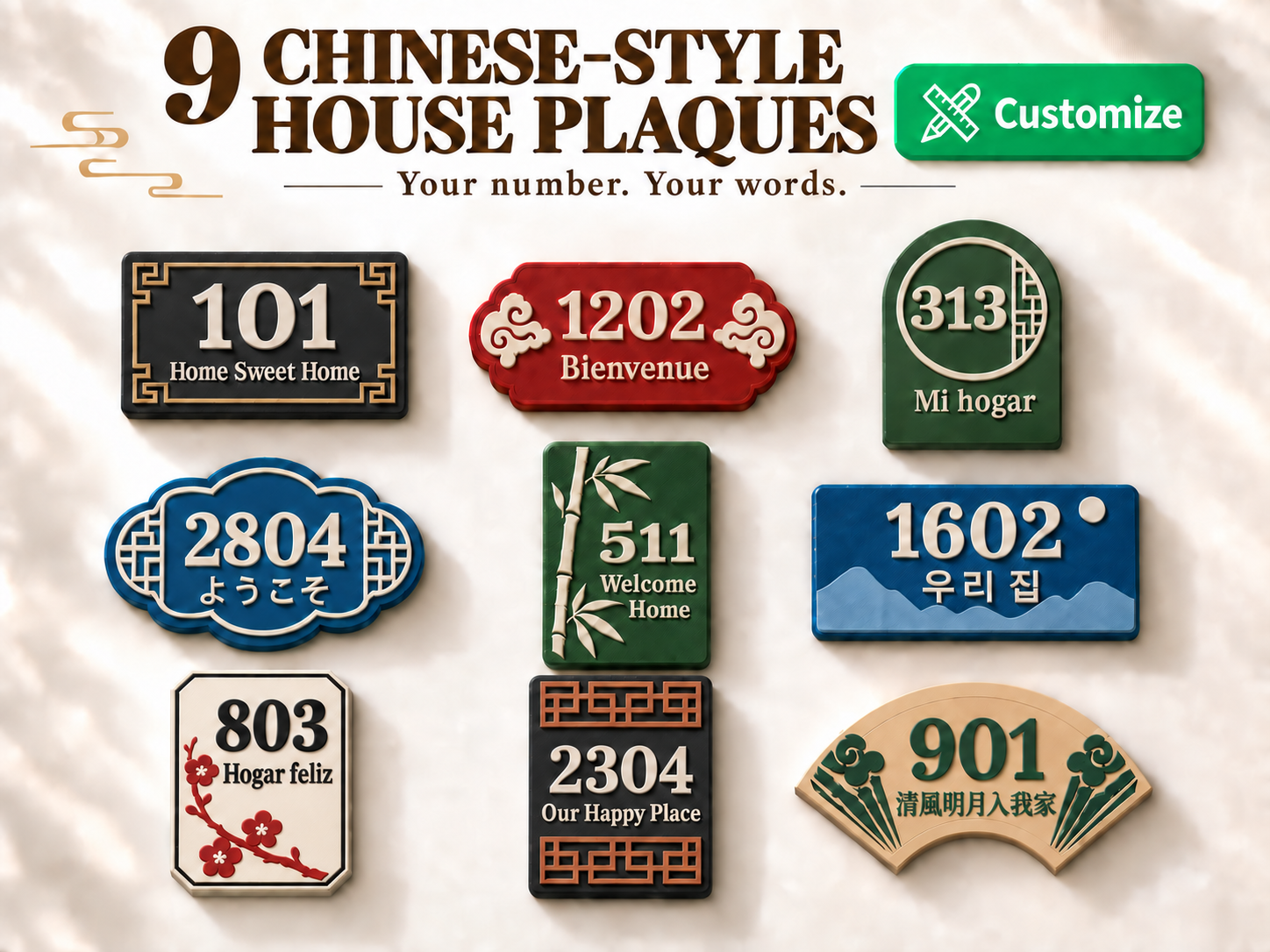
If you are not familiar with customization, please check the [Video Tutorial] or the illustrated instructions below. This project is based on OpenSCAD and includes nine Chinese-style house plaque designs. In addition to Simplified Chinese and Traditional Chinese, it also supports six other major languages. Each language includes five preset... Nine Chinese-Style House Plaques MakerWorld Customization Guide Create a personal house plaque by combining your number, your words and Chinese-inspired ornament. Choose from nine fixed-orientation designs, eight language groups and five font options per language. No. Design Orientation 01 Meander Landscape 02 Ruyi Clouds Landscape 03 Moon Window Portrait 04 Begonia Window Landscape 05 Bamboo Portrait 06 Mountains Landscape 07 Plum Blossom Portrait 08 Lattice Portrait 09 Folding Fan Landscape MakerWorld Customization Panel Open the project customization page. Work through sections 01, 02 and 03, then click the blue Generate (生成) button at the bottom. 01 Design and Size Design: select one of nine shapes. Orientation is fixed for each design. Long side: 120–240 mm in 1 mm steps. The short side is calculated proportionally. 02 Text and Content Language: choose the language first. House number: enter your number. Custom slogan: enter your words, or leave blank to hide them. Font style: select 01–05 within the chosen language. 03 Text Size Number scale: 70–100%. Slogan scale: 80–100%. 100% is the largest setting within the text area, not a fixed point size. Generate and Review Click Generate, then check spelling, strokes, text boundaries and overall dimensions. Generate again after changing settings. Text and Font Settings Selecting a language changes the font group; it does not translate the house number or slogan. Enter Traditional Chinese characters directly when using that language. After switching languages, click Generate to preview the result. The font menu uses fixed slots 01–05. The actual font changes with the selected language and applies to both the number and slogan. In the font preview chart below, choose the language column and font row. Language Font 01 → 05 中文简体 Noto Sans SC / Noto Serif SC / Ma Shan Zheng / ZCOOL XiaoWei / ZCOOL KuaiLe 中文繁體 Noto Sans TC / Noto Serif TC / LXGW WenKai TC / Iansui / Noto Sans TC (Black) English Lora / Montserrat / Lobster / Roboto Slab / Nunito Français Lora / Montserrat / Lobster / Roboto Slab / Nunito Español Lora / Montserrat / Lobster / Roboto Slab / Nunito 日本語 Noto Sans JP / Shippori Mincho / Yuji Syuku / Dela Gothic One / Kaisei Decol 한국어 Noto Sans KR / Gowun Batang / Jua / Black Han Sans / Nanum Pen Deutsch Lora / Montserrat / Lobster / Roboto Slab / Nunito Example Settings Setting Example Design 09 Folding Fan Long side 180 mm Language 中文繁體 House number 901 Custom slogan 清風明月入我家 Font style 03 / LXGW WenKai TC:style=Regular Number scale / Slogan scale 100% / 100% Slogans are not limited to four characters, but long text becomes smaller. For better readability, shorten the phrase, choose a clearer font or increase plaque size. The house number cannot be blank. Font Style Reference Boost Me
9 House Plaques (Fully Customizable)
by The Moment Workshop · original on MakerWorld ↗
♥ 2⬇ 2🖨 0 prints
Print profiles
Example
⏱ 1h 13m · 36 g · 2 material(s) · needs AMS
Prints on: A1 0.4, X1 Carbon 0.4, H2C 0.4, A2L 0.4, P2S 0.4, H2D Pro 0.4, P1S 0.4, X1E 0.4, H2D 0.4, P1P 0.4, H2S 0.4, X1 0.4, X2D 0.4PLAPLA
Not printable on our printers