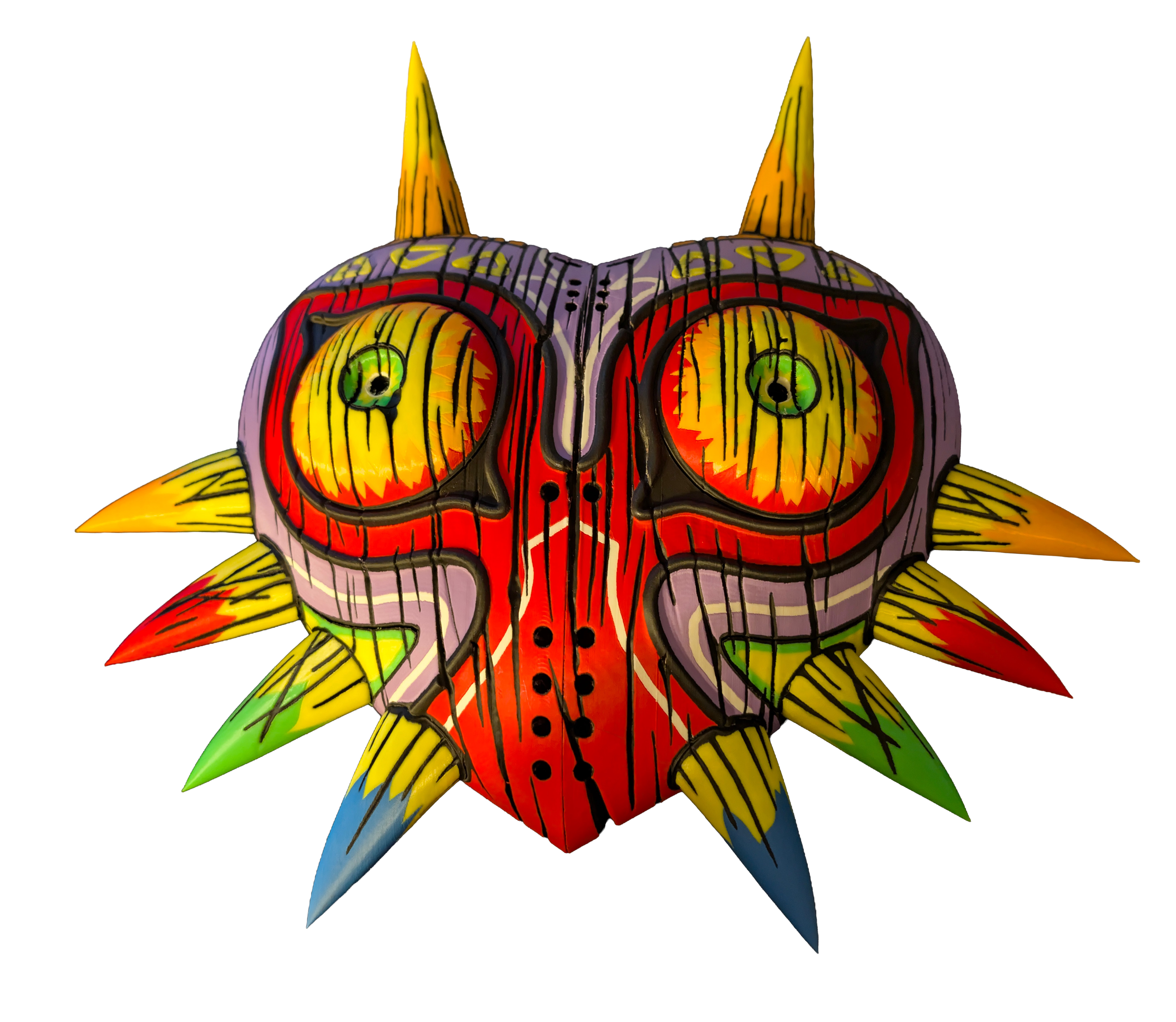
This is a Snapmaker U1 profile for a remix of Majora’s Mask, designed specifically for 4 color toolchanger printers like the Snapmaker U1.
The original remix placed multiple models on the same plates, which resulted in excessive filament swaps and longer print times. This version optimizes the layout by separating certain objects onto their own plates, reducing print time and unnecessary filament changes. I also encountered adhesion issues with some parts, so I adjusted the print orientation where needed to improve reliability.
Included are three preconfigured layer height presets, 0.20, 0.16, and 0.12, all ready to slice and print on the U1. Filament profiles for Panchroma Matte PLA and Neon PLA are also included. Simply swap the filament profile if you are using different materials.
The top horn colors were adjusted to more closely match the Majora’s Mask design and to eliminate the need for a ninth color. The original used a cream or light beige color, which has been removed.
All parts should be printable as provided without needing to reorient any pieces.
Assembly
Plastic glue is required to join the two main mask halves and to attach the red and orange horn pieces. The blue and green horns press-fit securely without glue (once the the horns are in place) as do the remaining parts such as the eyes.
Be very careful when assembling the eyes. Make sure the eyes and pupils are properly aligned. Once the pupils are inserted into the eyes, they cannot be removed. After the assembled eyes are installed in the mask, they also cannot be taken out.
FAQ
I'm getting Warning: The object has empty layers / faulty mesh?
These warnings can be safely ignored, they were in the remix I based this on and I had no issues printing.
I'm getting a warning about objects / gcode exceeding build area?
This is a bug that randomly happens with Snapmaker Orca, just move around the prime tower a bit or change the prime tower to fix.
Why are the eyes printed vertically instead of flat?
The eyes are printed vertically to achieve higher top surface quality without the need for ironing. I tested both orientations, and while vertical printing takes slightly longer, the visual quality is significantly better.
A part failed mid-print.
If you experience adhesion issues, wash the build plate with hot water and dish soap, then dry it thoroughly before retrying. If you turned on No Sparse Layers under multimaterial, please disable it as the snapmaker will collide with the prime tower with this setting on.
The small triangle pieces are very difficult to fit.
I ran into this issue as well. You can try printing those pieces vertically, like the original remix. I changed them to print flat because I had mid-print failures when printing those vertically. Other options include scaling the triangle pieces up by 1 percent or carefully trimming the existing parts with a deburring tool. They were extremely tight for me. Instead of reprinting, I lightly deburred the inside edges, placed a scrap piece of plastic over them, and tapped them in with a rubber mallet, being careful not to damage the surrounding parts.
Credits
A big thanks to WeeMadSausage, Sambi, 3DPrintDogs
Multicolor Majora's Mask - 8 colors for Snapmaker U1.
by sevenalive · original on Printables ↗
Costumes & Accessories / Masks
♥ 108⬇ 680🖨 7 prints
Print profiles
MajorasMask_8Color_SnapmakerU1.3mfDEFAULT
⏱ time and weight estimated after preparation · 1 material(s)
Made to order: we prepare this file when you order, which adds a few minutes before printing starts.
Prints on: A1 mini 0.4PLA
Order this print