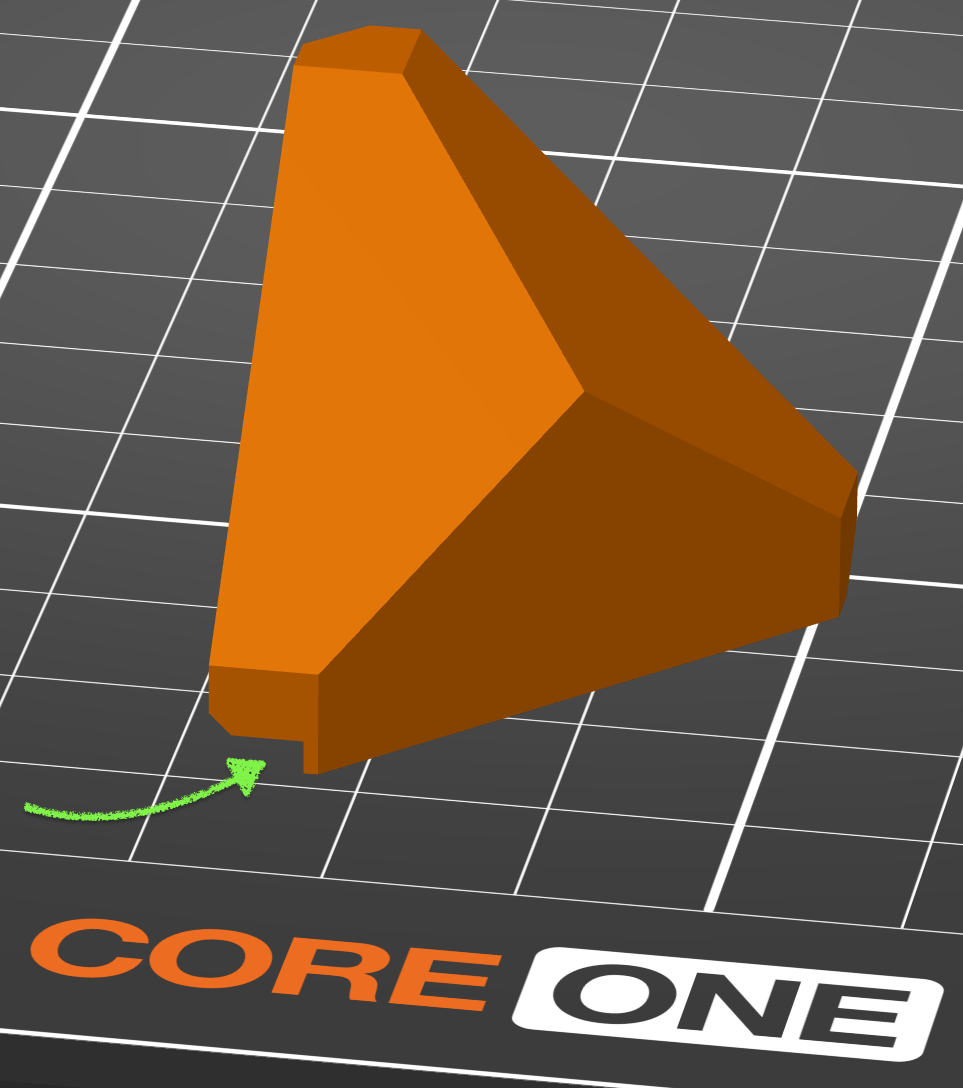
Snap-in corner covers for Prusa CORE One printer. Depending on your door orientation, print one of either the “standard” or “swapped” covers. Use this for the corner with the door handle. Print three of the “original” covers and use these for the remaining corners. Or if you want extra clearance on both sides, print two of the “original” and one each of the “standard” (install on right side) and “swapped” (install on left side).
Prusa CORE One Snap-in Corner Block
by MooseBoys · original on Printables ↗
3D Printers / Prusa Parts & Upgrades
♥ 386⬇ 9.0k🖨 75 prints
Print profiles
block-the-corner-original.3mf
⏱ time and weight estimated after preparation · 1 material(s)
Made to order: we prepare this file when you order, which adds a few minutes before printing starts.
Prints on: A1 mini 0.4PLA
Order this print
block-the-corner-doorcut-standard.3mfDEFAULT
⏱ time and weight estimated after preparation · 1 material(s)
Made to order: we prepare this file when you order, which adds a few minutes before printing starts.
Prints on: A1 mini 0.4PLA
Order this print
block-the-corner-doorcut-swapped.3mf
⏱ time and weight estimated after preparation · 1 material(s)
Made to order: we prepare this file when you order, which adds a few minutes before printing starts.
Prints on: A1 mini 0.4PLA
Order this print