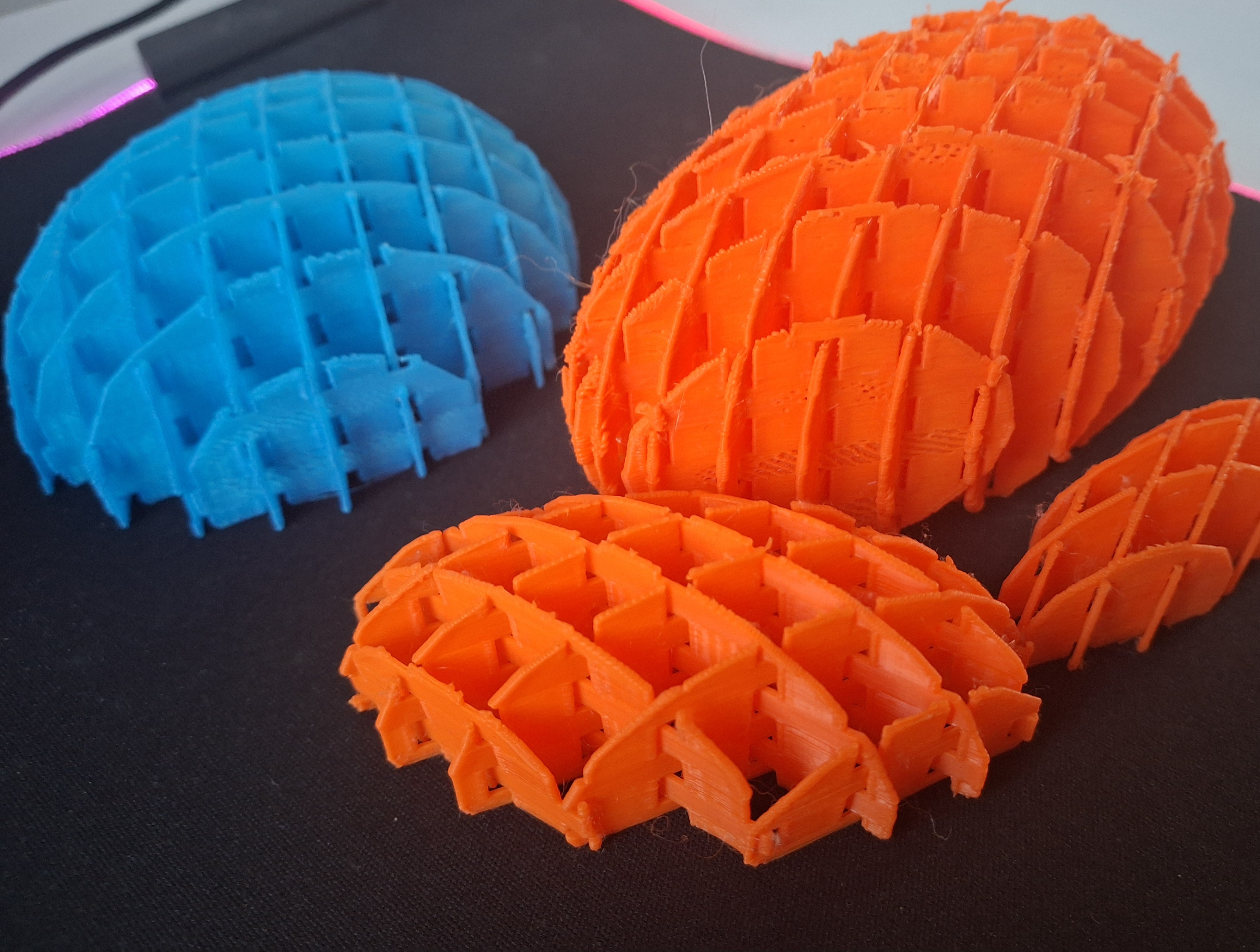
Customizable Squish Fidget: Your Perfect Fidget, Your Way
Experience the next level of fidget fun with our updated Squish Fidget model. Building on the success of the original, this design features an interlocking domed grid structure with fully adjustable parameters—unlocking millions of variations.
Customize Online in Seconds
- Visit This Website.
- Adjust Parameters: Tweak settings to create your ideal fidget.
- Download Instantly: Click “Download” and receive your custom design within seconds.
Prefer a ready-made option? Choose from seven pre-set sizes for immediate use, or download the .SCAD file to dive into full customization in OpenSCAD.
Customizing Your Squish Fidget in OpenSCAD
When you open the .SCAD file in OpenSCAD, you’ll see key parameters at the top of the code. Here’s what each does:
- grid_width: Overall width of the grid (must be a multiple of 10).
- ring_offset: Adjusts the inner ring’s radius.
- vert_tol: Sets the vertical tolerance for gap height.
- gap_width: Defines the width of the interlocking gaps.
- gap_height: Specifies the gap height (based on vertical tolerance).
- layer_height: Determines the height of a single grid layer.
- dist_between_gaps: Controls the spacing between gaps (automatically fits the grid width).
- void_scale: Sets the scale for the spherical void as
[scale_x, scale_y, scale_z]. - $fn: Adjusts the resolution of circles and spheres (lower values speed up rendering).
How to Modify:
- Change the numbers to match your preferences.
- Press F5 to preview your updated model.
- Tweak as needed until your design is just right.
Exporting Your Model for 3D Printing
Once you’re satisfied with your design, follow these steps to prepare it for printing:
- Press F6 to render the model fully.
- Go to the File menu (top-right corner).
- Select Export → Export as STL to generate your 3D print file.
Recommended 3D Print Settings:
- Material: PLA (great for most users)
- Layer Height: 0.2 mm
- Print Speed: 100–120 mm/s
- Supports: Not required unless scaling the model significantly
- Bed Adhesion: Use a brim, skirt, or raft as needed
Fidget: Squish Fidget
by KingTut · original on Printables ↗
Toys & Games / Other Toys & Games
♥ 346⬇ 6.4k🖨 23 prints
Print profiles
Squish 120x120.stl
⏱ time and weight estimated after preparation · 1 material(s)
Made to order: we prepare this file when you order, which adds a few minutes before printing starts.
Prints on: A1 mini 0.4PLA
Order this print
Squish 170x170.stl
⏱ time and weight estimated after preparation · 1 material(s)
Made to order: we prepare this file when you order, which adds a few minutes before printing starts.
Prints on: A1 mini 0.4PLA
Order this print
Squish 70x70.stl
⏱ time and weight estimated after preparation · 1 material(s)
Made to order: we prepare this file when you order, which adds a few minutes before printing starts.
Prints on: A1 mini 0.4PLA
Order this print
Squish 150x150.stl
⏱ time and weight estimated after preparation · 1 material(s)
Made to order: we prepare this file when you order, which adds a few minutes before printing starts.
Prints on: A1 mini 0.4PLA
Order this print
Squish 50x50.stl
⏱ time and weight estimated after preparation · 1 material(s)
Made to order: we prepare this file when you order, which adds a few minutes before printing starts.
Prints on: A1 mini 0.4PLA
Order this print
Squish 100x100.stlDEFAULT
⏱ time and weight estimated after preparation · 1 material(s)
Made to order: we prepare this file when you order, which adds a few minutes before printing starts.
Prints on: A1 mini 0.4PLA
Order this print
Squish 200x200.stl
⏱ time and weight estimated after preparation · 1 material(s)
Made to order: we prepare this file when you order, which adds a few minutes before printing starts.
Prints on: A1 mini 0.4PLA
Order this print