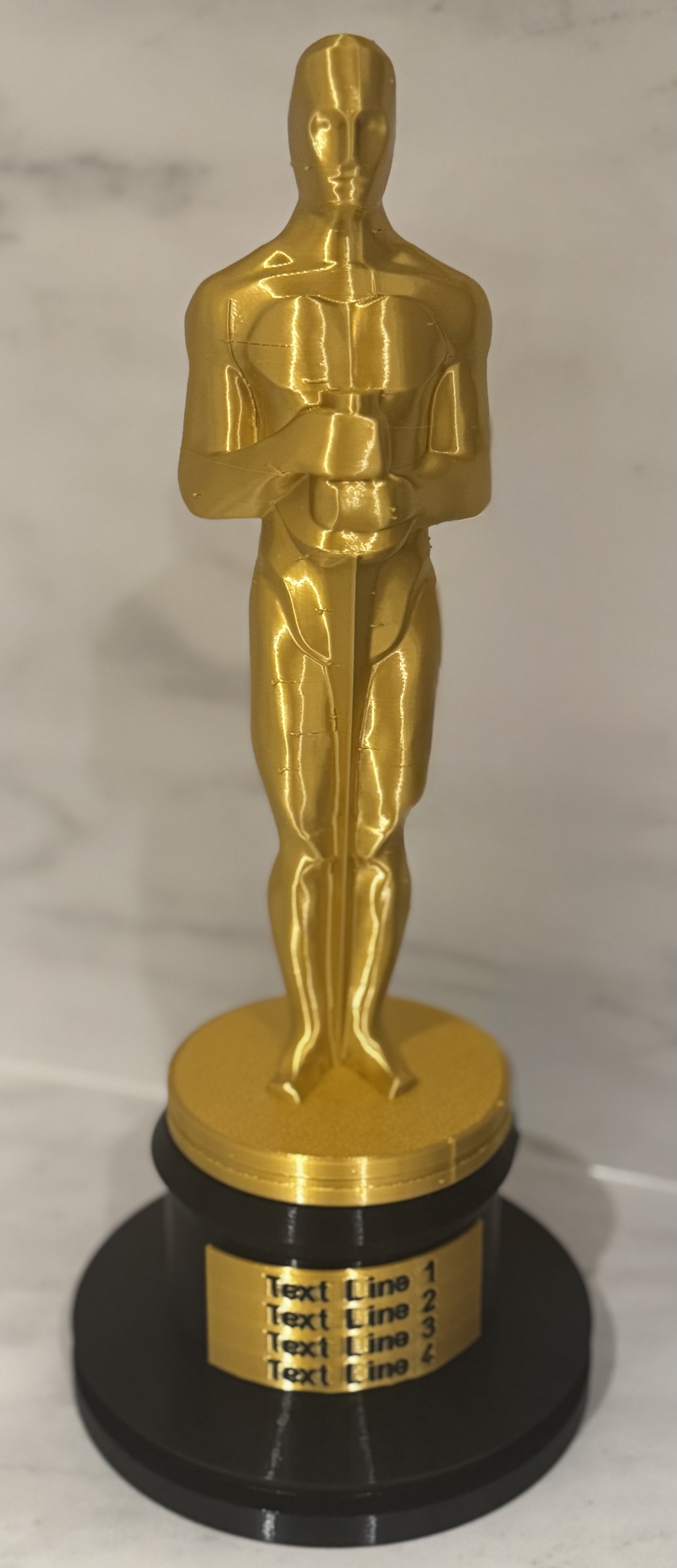
The model uses OpenSCAD to create a custom name plate with your own text.
Many of the Oscar models require you to make a name plate in another CAD program and/or print it flat and bend it around the base when the print is still warm. This version gives you a rounded name plate that fits the base. And OpenSCAD files to create any text you want.
Using OpenSCAD
- download OpenSCAD https://openscad.org/downloads.html
- open the .scad file
- make any changes you need
- Use F5 to preview the model or via the menu Design/Preview
- Once you are happy with the model use F6 to Render the model or via the menu Design/Render
- Use F7 to Export the STL or via the menu File/Export/STL
You can find shortcuts for preview, render and STL on the menu bar
Customising the Name Plate
- If you need to understand the OpenSCAD language start here with the Cheat Sheet
- Unzip the OpenSCAD archive
- Open the file OscarTextPlate.scad
- set the text lines, you can set a lines 3 or 4 to = “”; if you don't need all 4 lines:
// Write the first line of your text
First_Text_Line = "Line 1";
// Write the second line of your text
Second_Text_Line = "Line 3";
// Write the third line of your text
Third_Text_Line = "Line 3";
// Write the fourth line of your text
Fourth_Text_Line = "Line 4";
You can also choose Raised or Recessed text
- raisedtext = true;
Adjust the size of the text
- textheight = 6;
If the text doesn't fit increase the size/angle of the name plate . Below its 100 degress,
- labelwarpangle = 100; // Change if text doesn't fit
- Use F5 to preview the model or via the menu Design/Preview
- Once you are happy with the model use F6 to Render the model or via the menu Design/Render
- Use F7 to Export the STL or via the menu File/Export/STL
Multi Colour Printing
You can print the nameplate text and body in different colours by exporting them as seperate STL files and combining the STLs in PrusaSlicer
Refer to this part of the OpenSCAD file
// all , text , body
//multi_material = "all";
//multi_material = "text";
//multi_material = "body";
- Run OpenSCAD with multi_material = “text" and save the STL ( F6 followed by F7 )
- Run again with multi_material = "body" and save the STL
- In PrusaSlicer import both STLs and answer Yes to the Prompt for Multi-part object detected
- Set the Colours for each part
Suggested print settings
For Oscar Statue:
- Try Gold Silk PLA
- 4 perimeters
- 15% adaptive infill
- Hilbert Curve top surface
- Seam at Rear
- Organic Supports. Supports are needed for the Elbows. However even Organic supports leave some scaring on the bottom of the elbow so you may have to sand or file them.
For Oscar Base:
- 3 perimeters
- 15% adaptive infill
- no infill or brim
For Oscar Name Plate
- print with a brim
Oscar Statue - with easy to customise name plate
by Michael · original on Printables ↗
Costumes & Accessories / Props
♥ 45⬇ 557🖨 2 prints
Print profiles
Oscar Base.stlDEFAULT
⏱ time and weight estimated after preparation · 1 material(s)
Made to order: we prepare this file when you order, which adds a few minutes before printing starts.
Prints on: A1 mini 0.4PLA
Order this print
Oscar Statue.stl
⏱ time and weight estimated after preparation · 1 material(s)
Made to order: we prepare this file when you order, which adds a few minutes before printing starts.
Prints on: A1 mini 0.4PLA
Order this print
OscarTextPlate.stl
⏱ time and weight estimated after preparation · 1 material(s)
Made to order: we prepare this file when you order, which adds a few minutes before printing starts.
Prints on: A1 mini 0.4PLA
Order this print
OscarTextPlate Base Only for Multi Colour.stl
⏱ time and weight estimated after preparation · 1 material(s)
Made to order: we prepare this file when you order, which adds a few minutes before printing starts.
Prints on: A1 mini 0.4PLA
Order this print
OscarTextPlate Text Only for Multi Colour.stl
⏱ time and weight estimated after preparation · 1 material(s)
Made to order: we prepare this file when you order, which adds a few minutes before printing starts.
Prints on: A1 mini 0.4PLA
Order this print