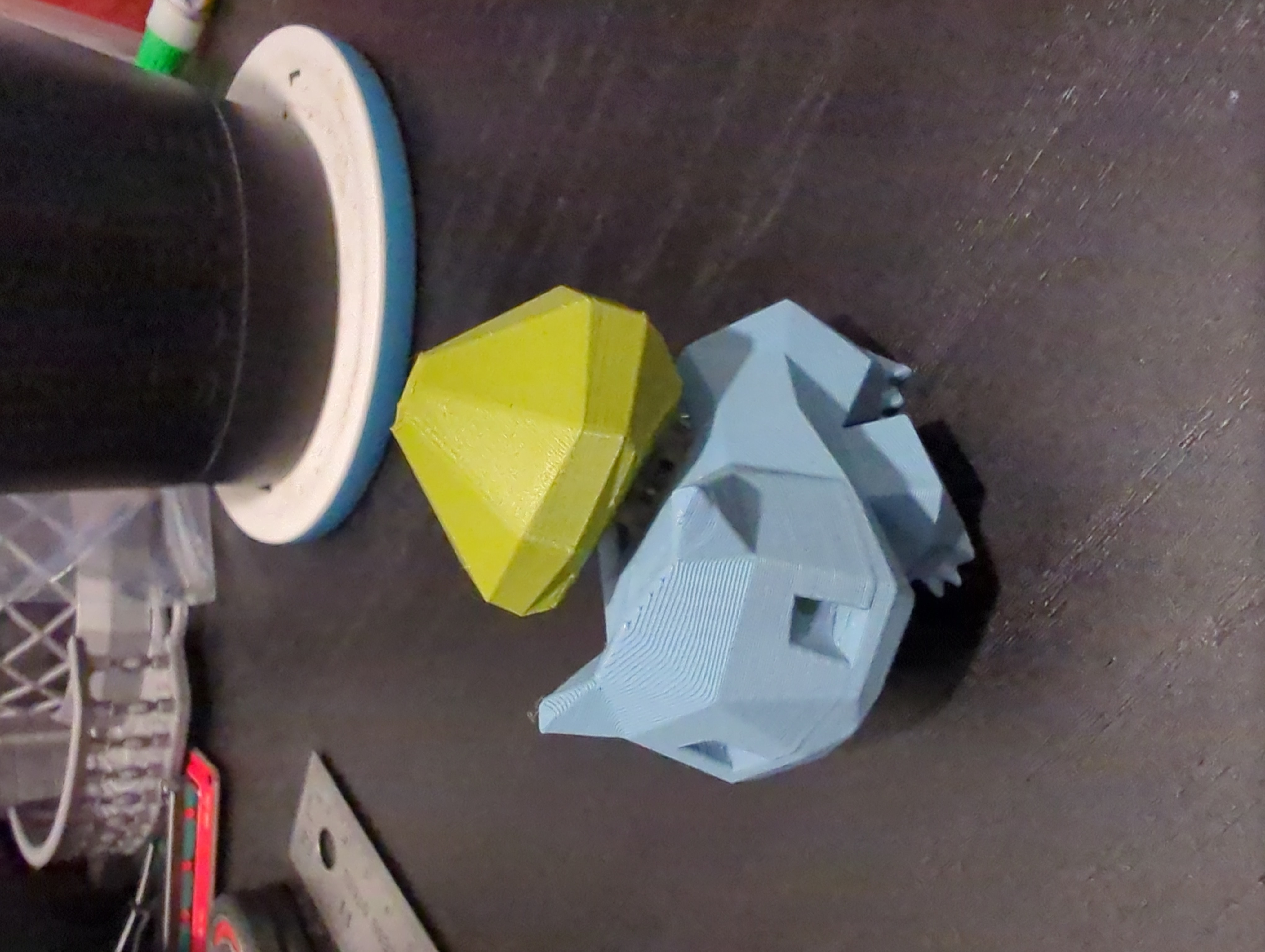
Required hardware:
- 1x Cherry MX switch or compatible alternative, bonus points for clicky
Assembly instructions:
- Print both parts
- Insert the switch into the main body
- When connecting the plant/back to the switch, be very careful to align the stem with the switch, depending on the tolerances of your printer, you may need to use an exacto blade to clean up the printed hole or use a small dab of superglue to secure the “keycap” to the switch
Printing instructions/tips:
- Body:
- Print however you want, no real difficulties here
- Minor bridging required inside the switch hold but shouldn't be a concern
- Back:
- The stem of an MX key switch is small so any precision you can add here helps
- I used:
- 0.1mm layer height with a detail profile
- Supports under the switch void and under the front (steep overhang) but not within the switch stem because there isn't really a benefit and would be really hard to remove (see screenshot)
Low-Poly Bulbasaur fidget with Cherry MX keyboard switch
by Andrew Geltz · original on Printables ↗
Toys & Games / Action Figures & Statues
♥ 352⬇ 2.3k🖨 16 prints
License: Creative Commons — Attribution — Noncommercial — Share Alike ↗toypokemonbulbasaurswitchfidgetgiftkeyboardmxcherrycherrymx
Print profiles
body-v3.stl
⏱ time and weight estimated after preparation · 1 material(s)
Made to order: we prepare this file when you order, which adds a few minutes before printing starts.
Prints on: A1 mini 0.4PLA
Order this print
back-v2.stlDEFAULT
⏱ time and weight estimated after preparation · 1 material(s)
Made to order: we prepare this file when you order, which adds a few minutes before printing starts.
Prints on: A1 mini 0.4PLA
Order this print