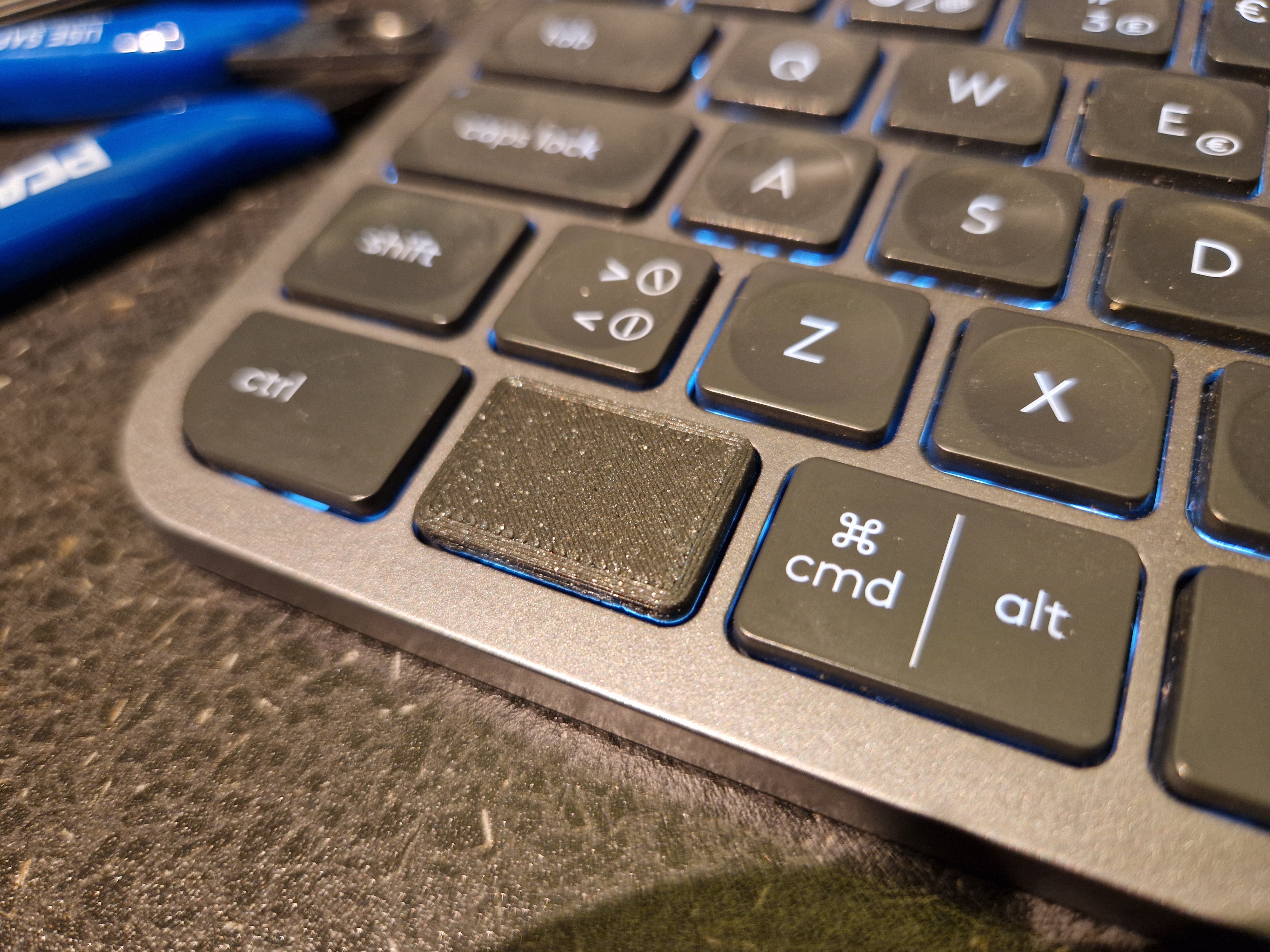
Since Logitech doesn't provide any spare keycaps for the MX Keys keyboard, and I didn't want to buy a completely new keyboard I decided to try and make a replacement my self.
Once installed it works and feels just like the original.
As for printing it, I used PLA. Its printed in 0.1 DETAIL profile with 0.4mm nozzle and since there's small details I decided to print at 50% speed set directly on the printer. Also, even though it looks like its needed on two of the smaller tabs, I didn't use any supports.
Logi / Logitech MX Keys Replacement keycaps
by Da9L · original on Printables ↗
Gadgets / Computers
♥ 108⬇ 1.0k🖨 0 prints
Print profiles
mxkey_blank_normalkey.stlDEFAULT
⏱ time and weight estimated after preparation · 1 material(s)
Made to order: we prepare this file when you order, which adds a few minutes before printing starts.
Prints on: A1 mini 0.4PLA
Order this print
mxkey_winkey_logo.stl
⏱ time and weight estimated after preparation · 1 material(s)
Made to order: we prepare this file when you order, which adds a few minutes before printing starts.
Prints on: A1 mini 0.4PLA
Order this print
mxkey_winkey_blank.stl
⏱ time and weight estimated after preparation · 1 material(s)
Made to order: we prepare this file when you order, which adds a few minutes before printing starts.
Prints on: A1 mini 0.4PLA
Order this print