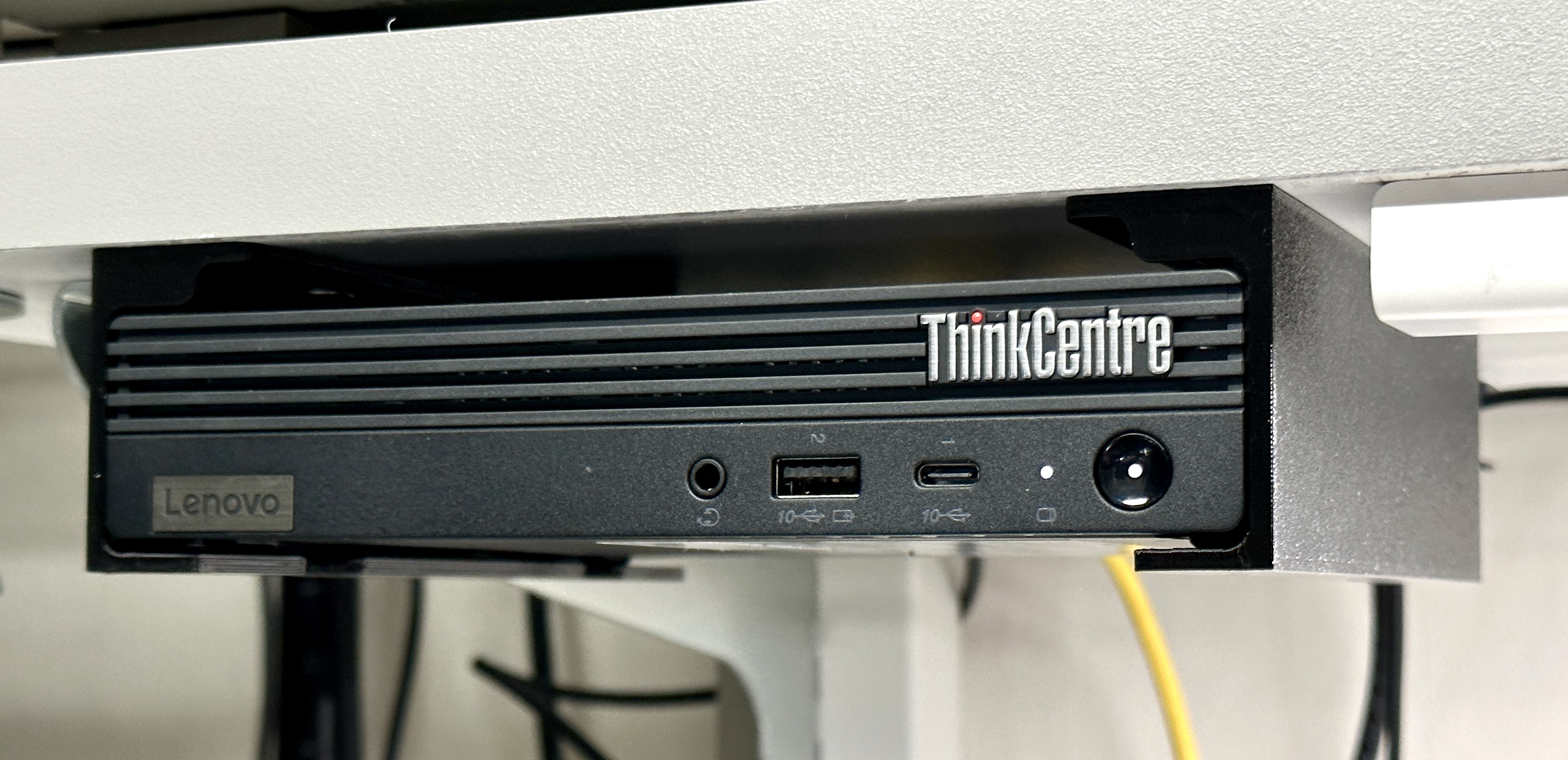
I have a Lenovo ThinkCentre Tiny M90q PC that I wanted to mount under the bottom shelf of my lab workbench. I looked around for existing mounts and couldn't find anything that met my needs, so I set out to design one.
I used four #8 x ¾" truss head (lathe) screws to secure the mount to the shelf.
You'll optionally need two M3 thumbscrews to secure the PC to the mount. I used the thumbscrews that come with the Lenovo VESA mount but any short M3 thumbscrew should work. The threads on my ThinkCentre were full of black chassis paint and I had to run a tap through them a couple times to get the thumbscrews to thread in smoothly. The holes in the mount are slotted to allow for some adjustment or misalignment.
I included a simple template to aid in drilling holes for the mount. The holes are spaced 6" x 4". The front edge of the PC sits about 1.2" in front of the front screws, so keep that in mind when positioning the mount. Make sure to test fit everything and measure twice before drilling.
Under-Shelf Mount for Lenovo ThinkCentre/ThinkStation Tiny PC
by mightyohm · original on Printables ↗
Gadgets / Computers
♥ 100⬇ 1.2k🖨 6 prints
Print profiles
mount set rev5.3mfDEFAULT
⏱ time and weight estimated after preparation · 1 material(s)
Made to order: we prepare this file when you order, which adds a few minutes before printing starts.
Prints on: A1 mini 0.4PLA
Order this print
mount left rev5.STL
⏱ time and weight estimated after preparation · 1 material(s)
Made to order: we prepare this file when you order, which adds a few minutes before printing starts.
Prints on: A1 mini 0.4PLA
Order this print