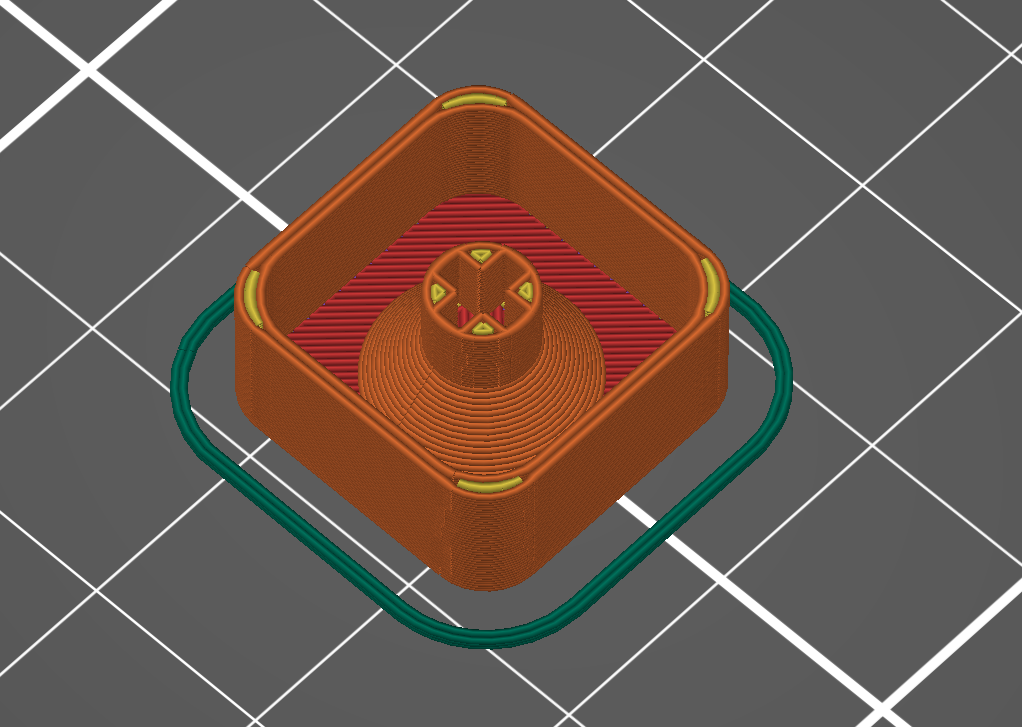
I designed this keycap using OpenSCAD. It is a blank keycap that you can customize in your slicer or use as is. I use it on a custom macro pad that I am working on.
| Customize the keycap in Prusa slicer | |
Add negative volume. | |
| Select a shape from the gallery. | |
| Mirror the negative volume along the Y axis. | |
Unlock the shape. Change the Z size to 0.6 (or another value if you feel like it). Resize or scale if needed. Change the X and Y positions to 0 to center the object. Drop the object to the bed. | |
Voilà! You can insert a color change if you want: Color change | Prusa Knowledge Base (prusa3d.com) The color change needs to be added at the Z height of the negative volume + layer height. As an example, if you set the negative volume height to 0.6 and are printing at a 0.2 layer height, the color change needs to be added at 0.8 mm. |
Cherry MX Keycap - Blank
by netpaq · original on Printables ↗
Gadgets / Computers
♥ 161⬇ 1.8k🖨 13 prints
Print profiles
Cherry MX Keycap - Rounded Corners - Blank.stlDEFAULT
⏱ time and weight estimated after preparation · 1 material(s)
Made to order: we prepare this file when you order, which adds a few minutes before printing starts.
Prints on: A1 mini 0.4PLA
Order this print