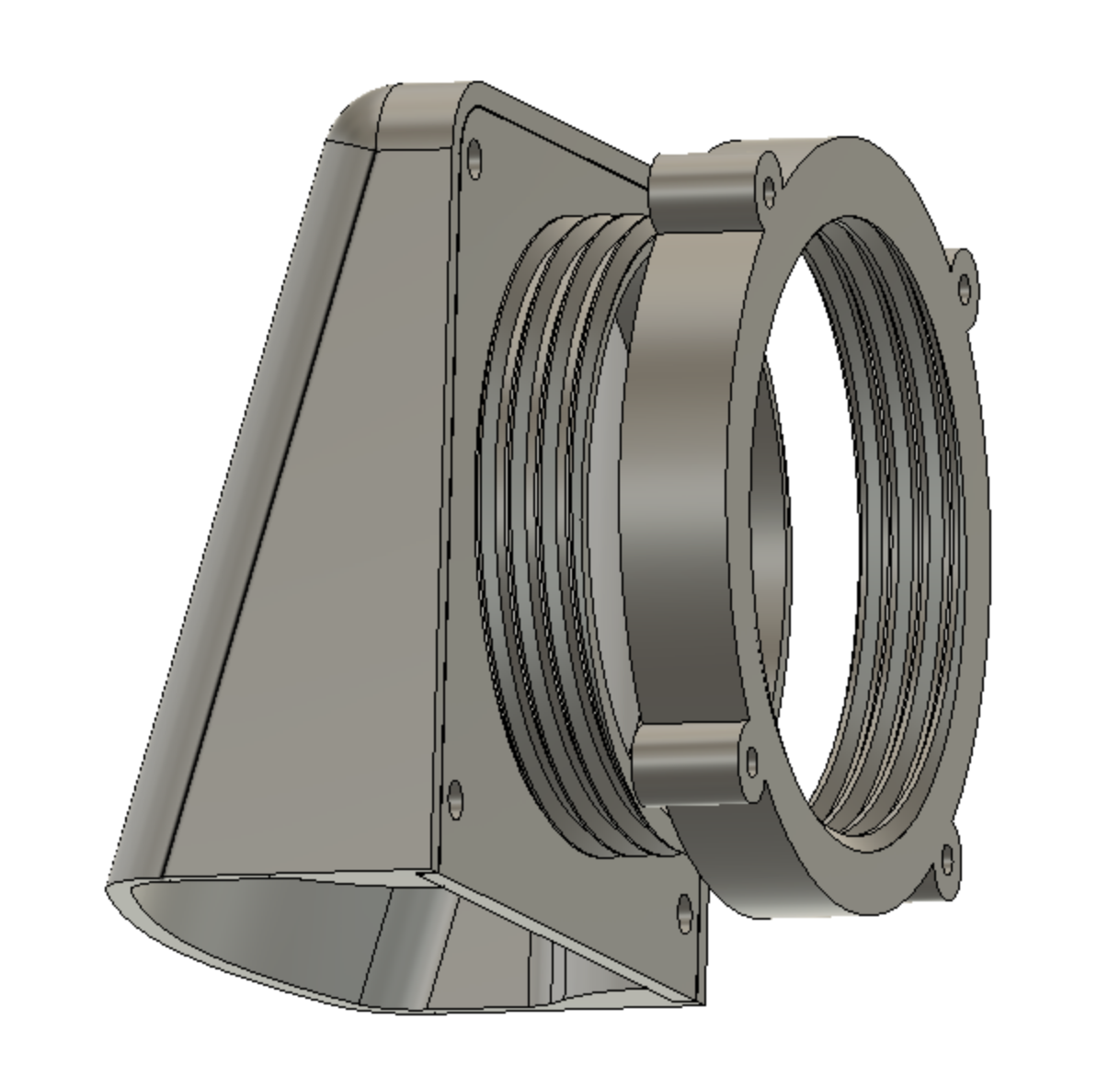
This print allows you to modify and enclosure with active cooling with an 80mm computer fan.
This can be used in outdoor enclosures, entertainment units etc. to remove excess heat.
- Use a hole-saw or otherwise to cut an 80mm hole in the enclosure.
- The outer vent with the male threading passes through the hole from the outside of the enclosure. (the outer vent prints in two parts - you will need to screw the enclosure outer to the thread plate with 4 x M3 bolts (max 10mm - they will self tap in to the hole)
- Use the nut on the inside of the enclosure to secure to vent. (enclosure wall thickness up to 10mm)
- Attach the 80mm computer fan to the mounting holes on the nut (can use m4 bolts of various lengths or various screws to secure)
Omitted filter from unit to improve air flow and these are usually installed with a mesh dust/bug screen anyway.
Enclosure Vent w/80mm fan mount
by Cheesus · original on Printables ↗
Gadgets / Other Gadgets
♥ 94⬇ 541🖨 3 prints
Print profiles
Enclosure Outer.stlDEFAULT
⏱ time and weight estimated after preparation · 1 material(s)
Made to order: we prepare this file when you order, which adds a few minutes before printing starts.
Prints on: A1 mini 0.4PLA
Order this print
Nut.stl
⏱ time and weight estimated after preparation · 1 material(s)
Made to order: we prepare this file when you order, which adds a few minutes before printing starts.
Prints on: A1 mini 0.4PLA
Order this print
Thread Plate.stl
⏱ time and weight estimated after preparation · 1 material(s)
Made to order: we prepare this file when you order, which adds a few minutes before printing starts.
Prints on: A1 mini 0.4PLA
Order this print