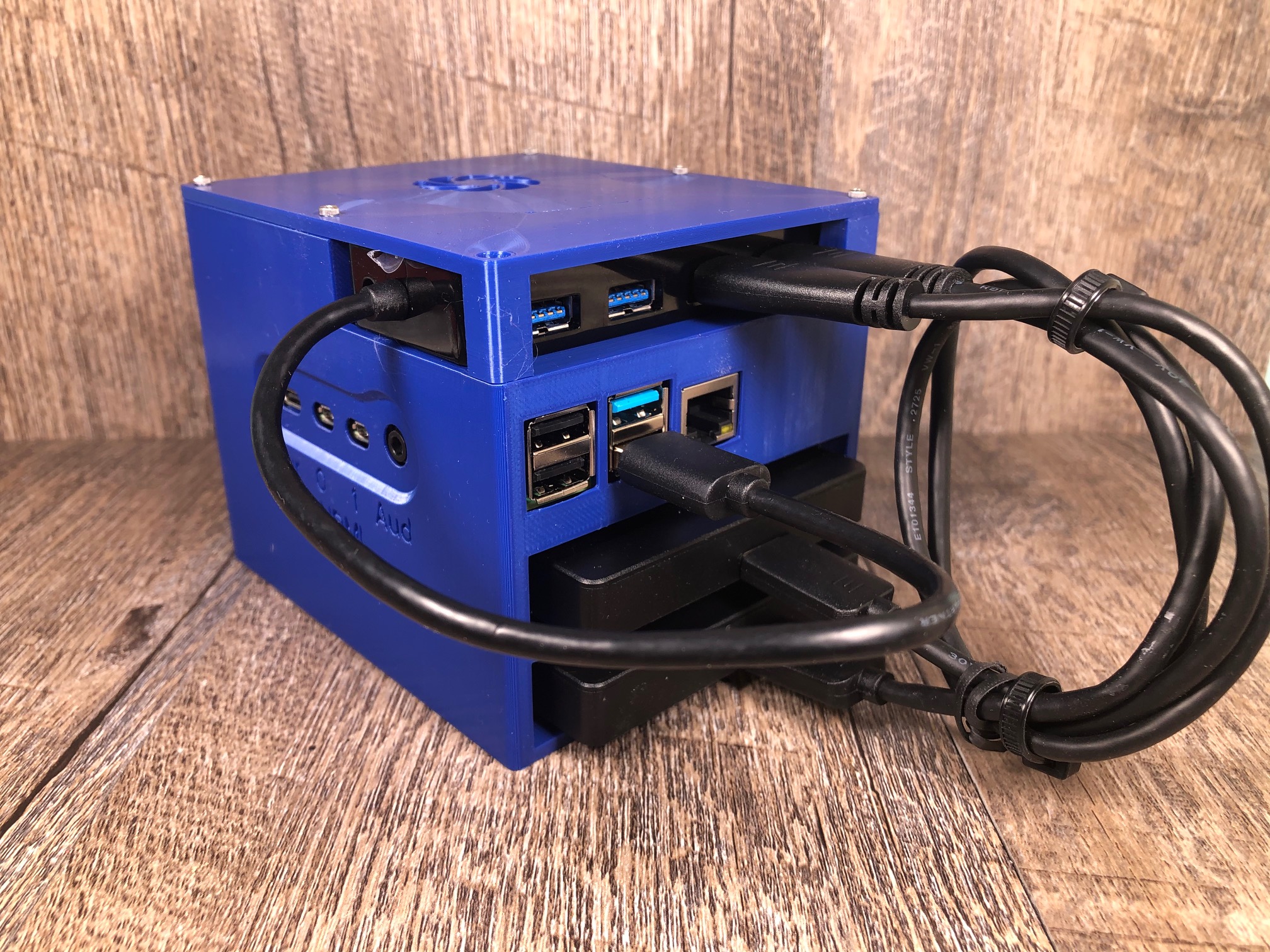
This print is for a Raspberry Pi NAS (Network Accessible Storage) server. It's a great option for a family that wants to share files or media between multiple computers. It utilizes
- Raspberry Pi 4 (2GB RAM is fine): https://www.amazon.com/gp/product/B07VXBMWQK/ref=ppx_yo_dt_b_asin_title_o02_s01?ie=UTF8&psc=1
- 2x USB External Hard drives (Capacity is your choice): https://www.amazon.com/gp/product/B07CRG94G3/ref=ppx_yo_dt_b_asin_title_o02_s00?ie=UTF8&psc=1
- A powered USB 3.0 hub (the Pi doesn't have enough power to supply both hard drives by itself): https://www.amazon.com/gp/product/B00DQFGH80/ref=ppx_yo_dt_b_asin_title_o02_s01?ie=UTF8&psc=1
- A micro SD card for the OS: https://www.amazon.com/gp/product/B08879MG33/ref=ppx_yo_dt_b_asin_title_o02_s00?ie=UTF8&psc=1
There is an excellent article on how to configure the software here:
https://magpi.raspberrypi.org/articles/build-a-raspberry-pi-nas
Or you can install a more fully featured suite following this article:
https://linuxhint.com/raspberry_pi_open_media_vault/
Print the main case on the back-side with the drive bays facing up. I used PLA with 0.2mm layer heights and default setting and had no problems with the bridges. Print the cover flat side down. This is designed for 2mmx7mm hardware to hold the Pi down and the cover on. The cover clamps the USB hub slightly to keep it from sliding around.
Raspberry Pi NAS Enclosure
by Are_Kow · original on Printables ↗
Gadgets / Computers
♥ 126⬇ 609🖨 3 prints
Print profiles
cover.stl
⏱ time and weight estimated after preparation · 1 material(s)
Made to order: we prepare this file when you order, which adds a few minutes before printing starts.
Prints on: A1 mini 0.4PLA
Order this print
main_body.stlDEFAULT
⏱ time and weight estimated after preparation · 1 material(s)
Made to order: we prepare this file when you order, which adds a few minutes before printing starts.
Prints on: A1 mini 0.4PLA
Order this print